View and search for dependencies
At least one project (a repository or subfolder in a monorepo) that scans for dependencies through Semgrep Supply Chain. See Scan third-party dependencies.
Semgrep Supply Chain's dependency search feature allows you to view and query for any dependency in your project at any time. This feature detects all transitive and direct dependencies across all of your projects in Semgrep AppSec Platform. Dependency search lists all the versions of a dependency, as well as the projects that use the dependency.
For newly discovered vulnerabilities, which may not yet have a formal CVE or Supply Chain rule, you can use dependency search to see if you use the vulnerable dependency in any of your repositories. You can also use dependency search to see all the versions of a dependency, which can be useful for standardization purposes.
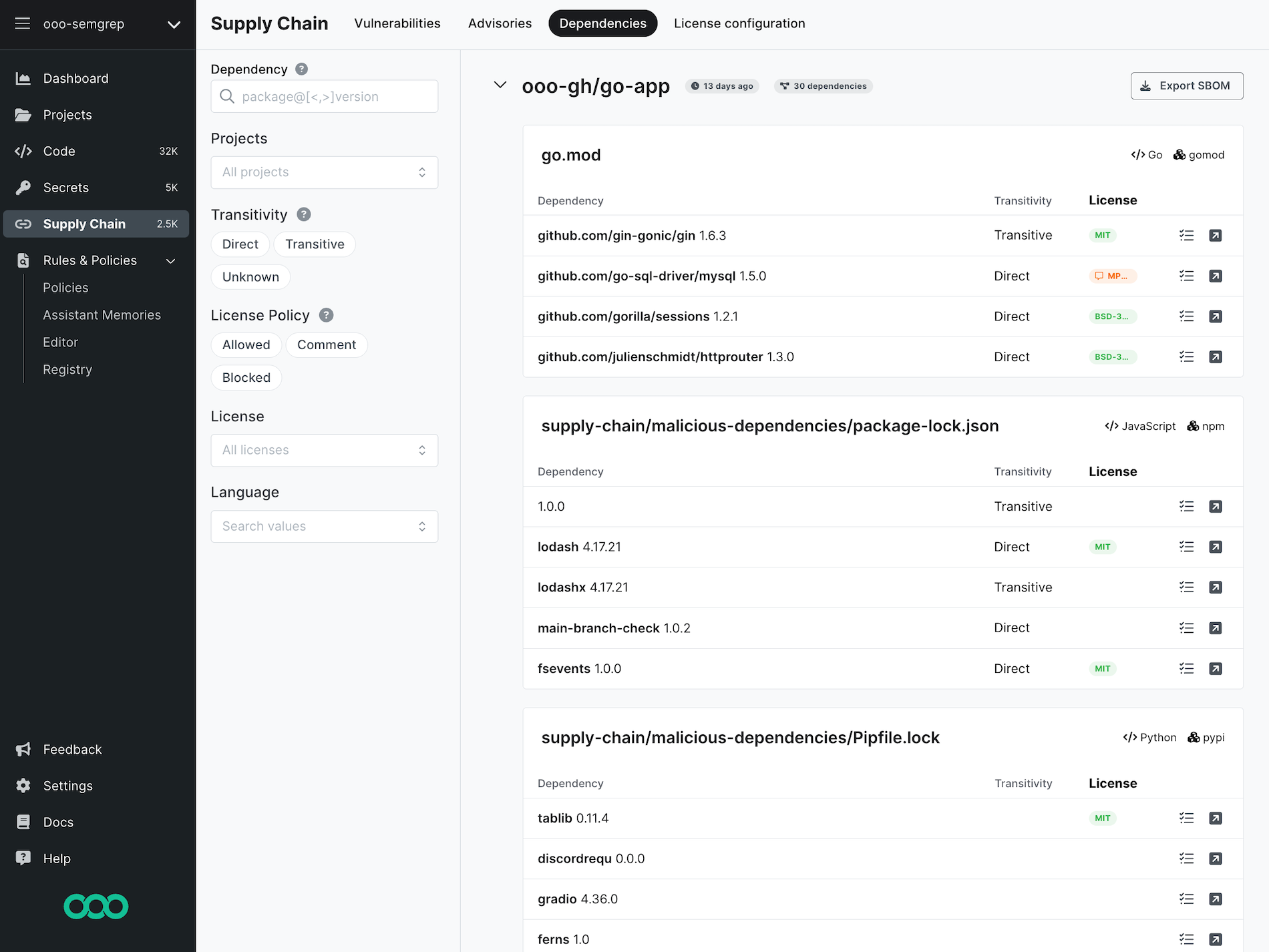 Figure. Default dependency search page.
Enable and use dependency search
To search your dependencies:
- Sign in to Semgrep AppSec Platform.
- Go to Settings > General > Supply Chain.
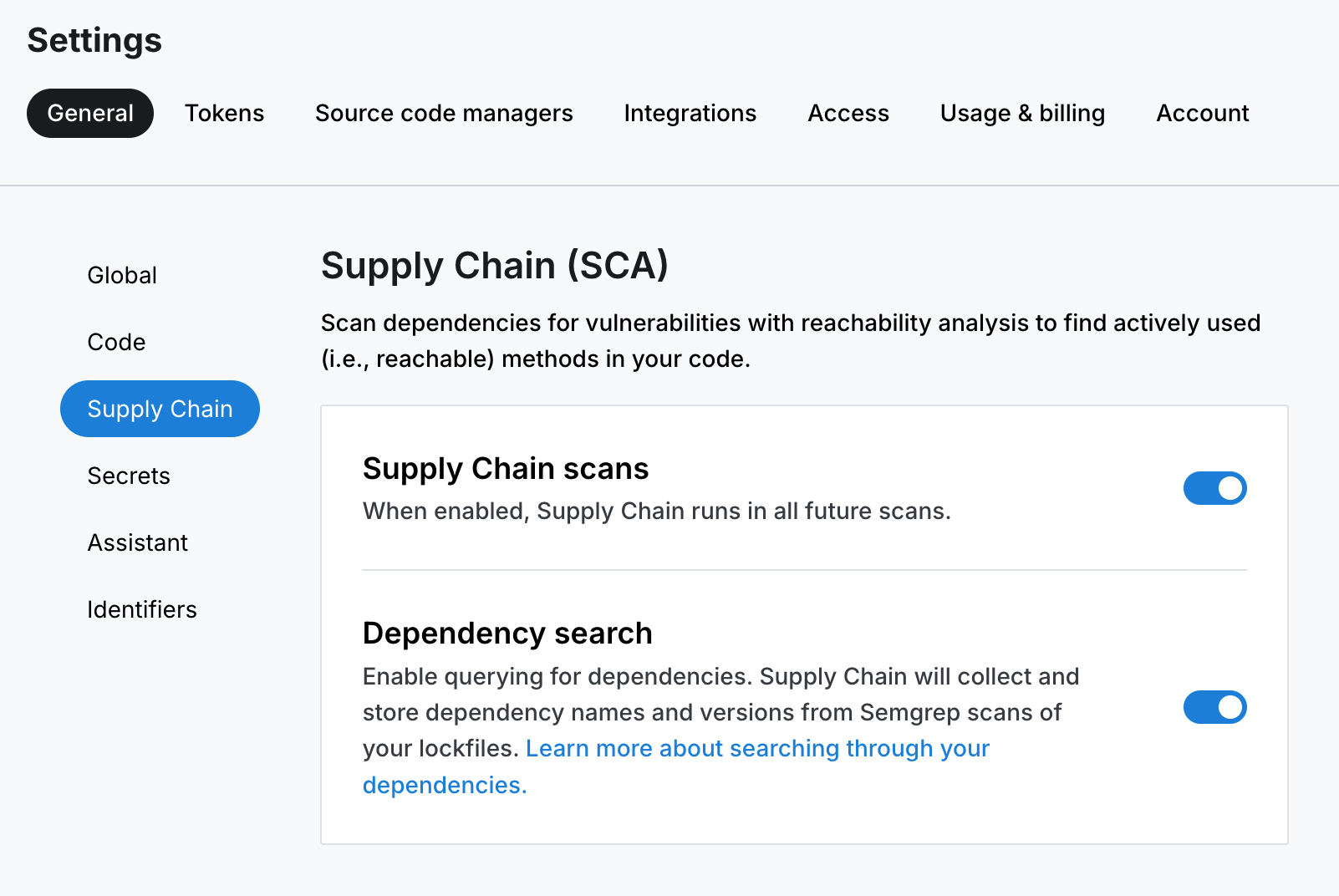 Figure. The Semgrep Supply Chain Settings tab.
 - Click Dependency search if it's not already enabled.
- Navigate to Supply Chain > Dependencies.
 Figure. The Semgrep Supply Chain Dependencies tab.
At this point, Semgrep displays the manifest files or lockfiles that it has used to determine dependency information and the dependencies included in each of the manifest files or lockfiles.
View additional manifest files or lockfiles
By default, Semgrep only displays dependencies listed in a given project's first 10 manifest files or lockfiles. To load information from additional files:
- Sign in to Semgrep AppSec Platform.
- Navigate to Supply Chain > Dependencies, and scroll to the bottom of the page.
- Click Fetch more lockfiles.
Search for dependencies
To search for dependencies:
- Sign in to Semgrep AppSec Platform.
- Navigate to Supply Chain > Dependencies.
- Using the Dependency search bar, type the name of the dependency you are searching for.
- Optional: Apply filters as necessary for your search.
Search for ranges of dependency versions with the > or < operators following the @ operator. For example, body-parser@<1.18.0 finds all versions of body-parser less than 1.18.0.
Search filters
Dependency search provides the following filters, which correspond to the data points displayed by Semgrep about each dependency:
| Filter | Description |
|---|---|
| Dependency | The name and version of the dependency. |
| Projects | The projects where the dependency can be found. |
| Transitivity | The relationship of the dependency to your codebase. |
| License Policy | The License Policy you set. Determines whether a dependency can be used based on its license. |
| License | The dependency's license type. |
| Language | The language of the dependency. |
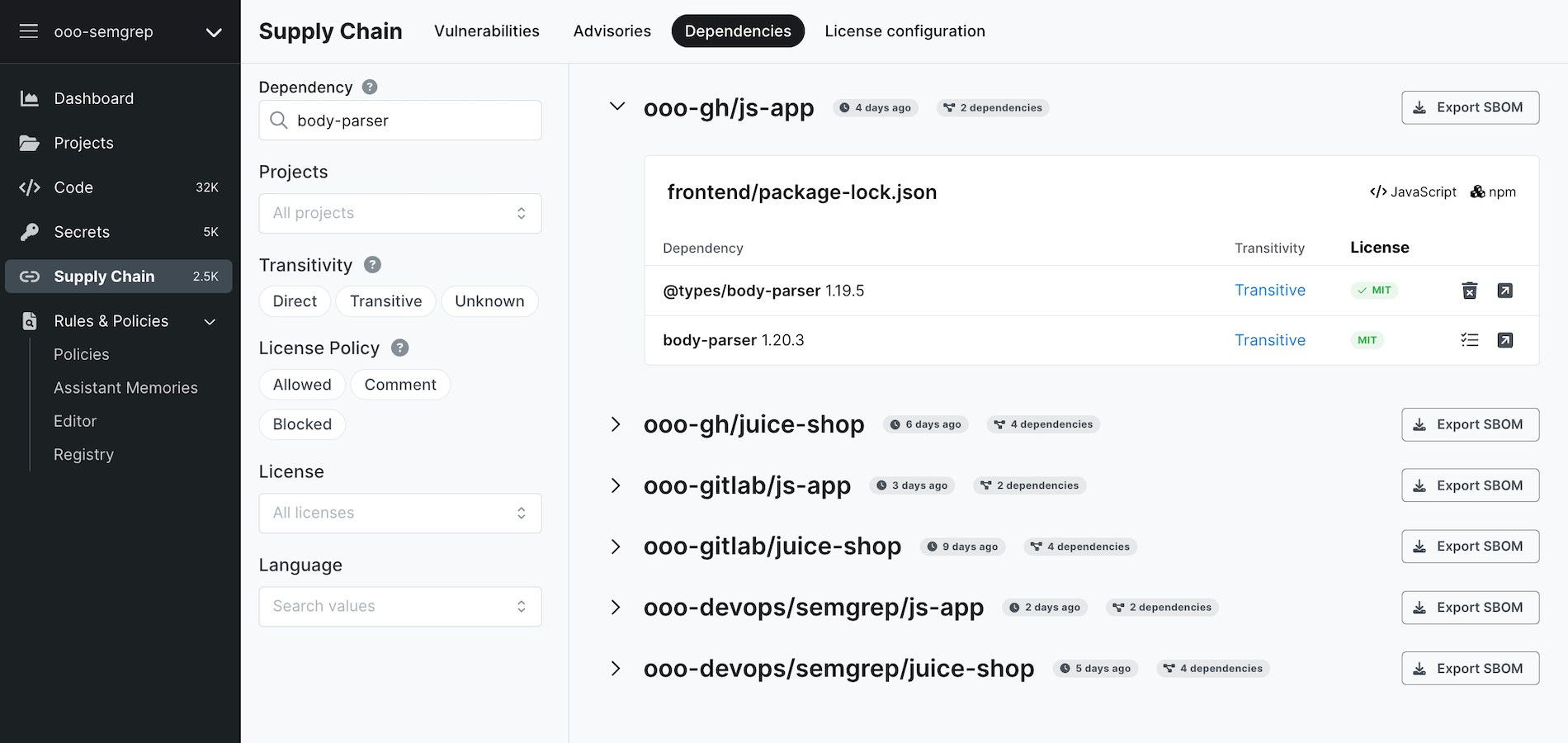 Figure. Dependency search page with sample search query.
Dependency paths (beta)
This feature is currently in invite-only beta. Please contact Semgrep Support for more information.
The Dependency paths feature allows you to view dependency paths for all transitive dependencies introduced in a project, up to seven layers of depth. With this information, you can understand:
- How a transitive dependency was introduced
- How deeply the transitive dependency is nested in the dependency tree.
Supported languages
Semgrep generates dependency paths for most C#, Java, JavaScript, Kotlin, and Python projects.
C#
Semgrep generates dependency paths for C# projects using NuGet.
Java
Semgrep generates dependency paths for Java projects that include a maven_dep_tree.txt file whenever you invoke a scan using semgrep ci.
Semgrep can also generate dependency paths for Java projects with lockfiles and Java projects without lockfiles if they're built using Maven or Gradle with the help of the Gradle Wrapper. Dependency paths for such projects are available when scanning without lockfiles.
JavaScript
Semgrep generates dependency paths for JavaScript projects that use npm, yarn, or pnpm and include a lockfile whenever you invoke a scan using semgrep ci.
Kotlin
Semgrep generates dependency paths for Kotlin projects built using Maven when a maven_dep_tree.txt file is present, and for Maven or Gradle when scanning without lockfiles.
Python
Semgrep generates dependency paths for Python projects that use the following package managers:
poetryandpoetry.lockfileuv(requires Semgrep version1.127.0or later)
Semgrep also generates dependency paths for Python projects that use the following package managers:
Pipenvpiptoolspipwithrequirements.txt
when scanning without lockfiles.
View the dependency path
After you have been added to the Dependency paths beta and a new scan completes on a repository, view the dependency paths in Semgrep AppSec Platform on:
- The Finding Details page for a transitive finding
- The Supply Chain > Dependencies tab when you view a transitive dependency; click Transitive to see the dependency path
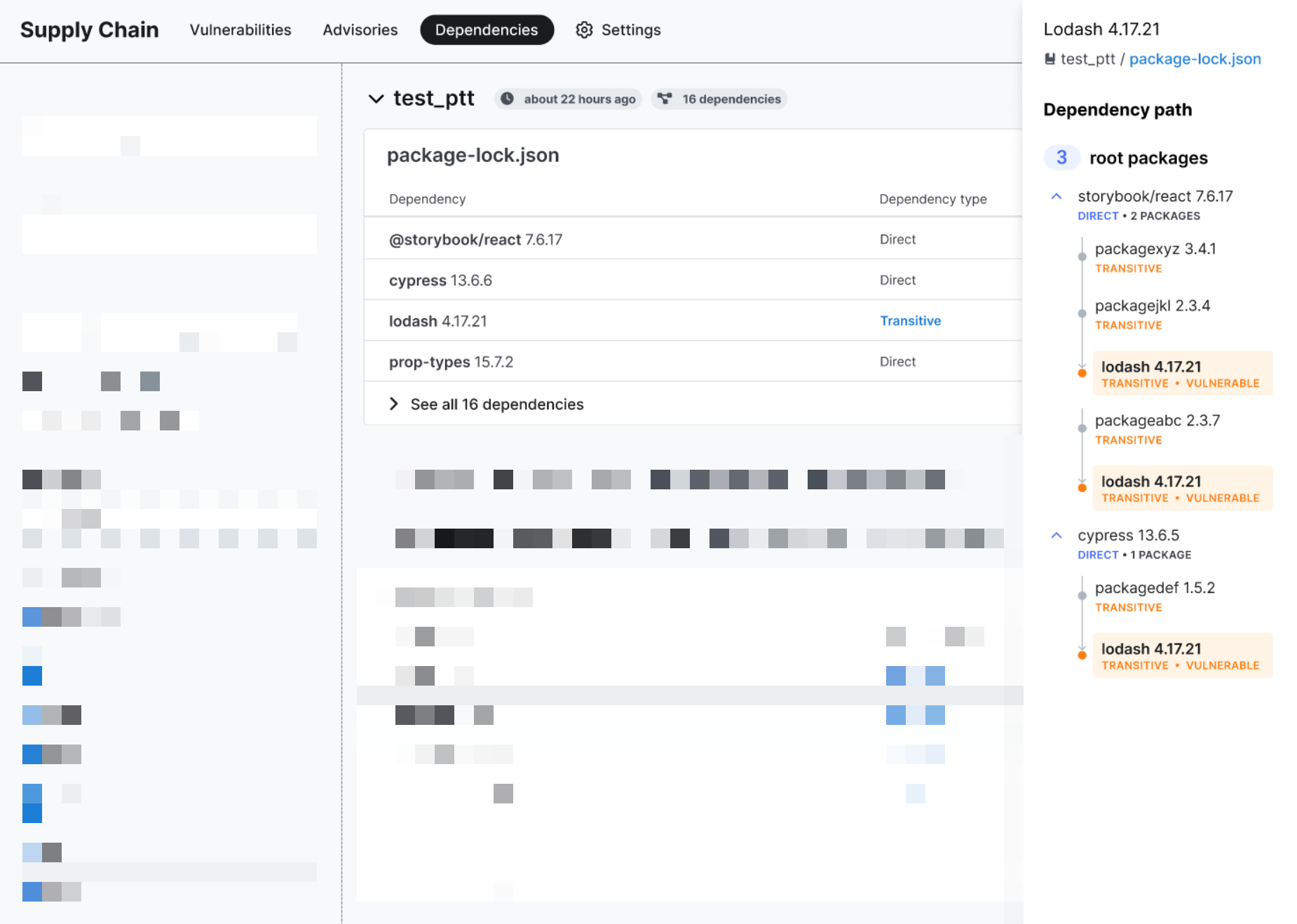 Figure. Supply Chain findings with a dependency graph shown.
Troubleshooting: no dependencies appear on the Dependencies page
If you don't see any results on the Dependencies page, ensure that:
- Semgrep Supply Chain supports your manifest file or lockfile. Refer to Supported languages for a list of supported languages, manifest files, and lockfiles.
- Your filters and search syntax are correct.
- You've performed a full scan of the repository at least once since enabling dependency search. Only dependencies detected during full scans are shown on the Dependencies page.
If you're having trouble seeing dependencies after a scan, see Why aren't Supply Chain findings showing? for additional troubleshooting tips.
Not finding what you need in this doc? Ask questions in our Community Slack group, or see Support for other ways to get help.